Delivery App Development in the UAE: What It Costs, What to Build First and How to Launch
Delivery app development in the UAE: what drives the cost, the roles a first release needs, cash on delivery and zones, and what to launch first.
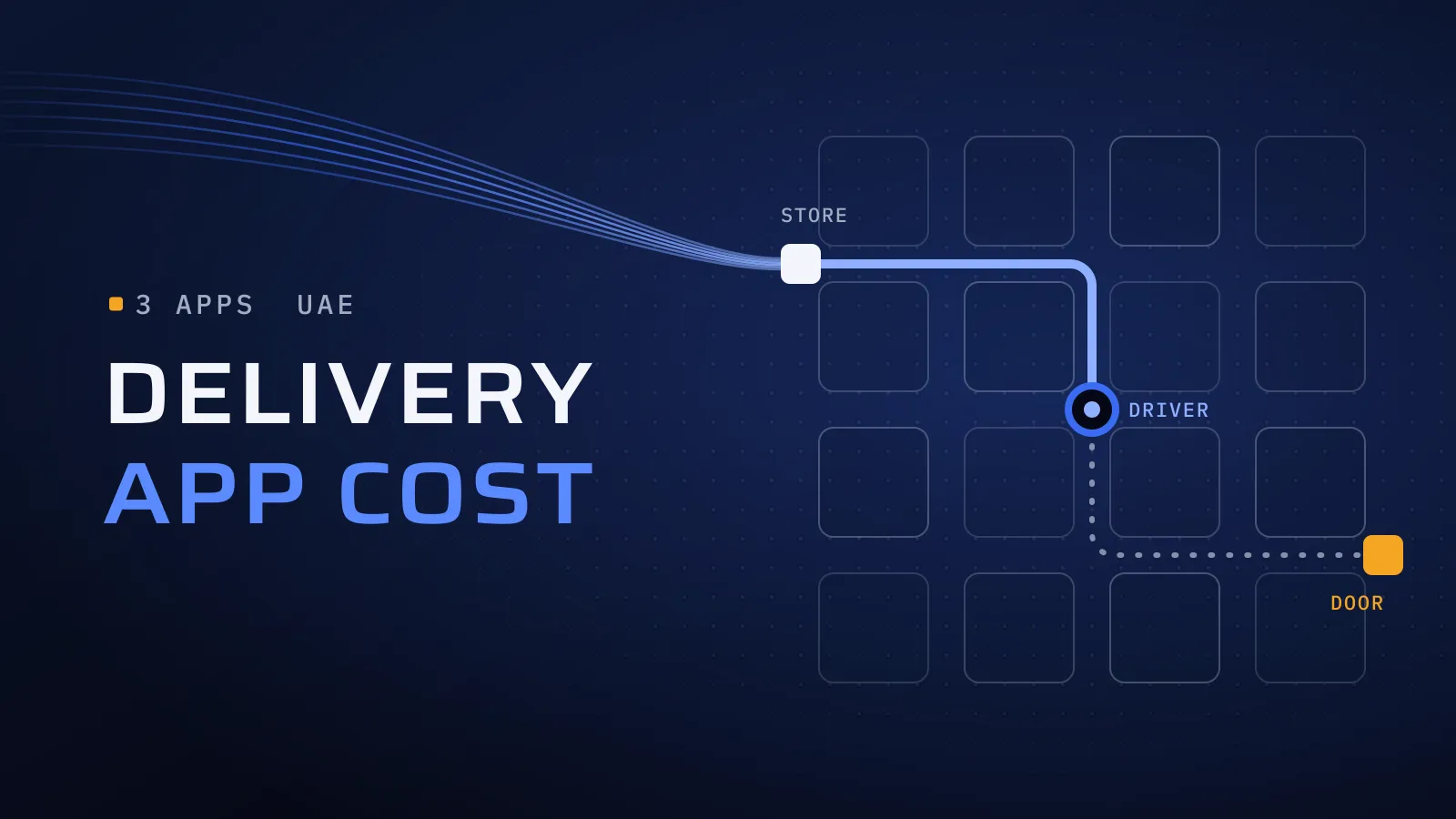
Delivery app development in the UAE comes down to one promise kept on every order: it arrives complete, at the right door, when the app said it would. For a founder, a restaurant group or a retailer, keeping that promise in your own app means your own customers, your own data and repeat orders; breaking it means refunds, one-star reviews and drivers back on WhatsApp.
What does a delivery app need, and what does it cost in the UAE?
Quick answer: A delivery app is three apps sharing one order: a customer app, a driver app and a store and admin side. Its cost follows the effort of the team that builds them: a delivery lead, a designer, mobile and back-end developers, and QA. Your business model, dispatch, the money flow and integrations move that effort most. Send us your scope, and we reply with the effort, the team and the price.
Know where you will deliver first? Get an estimate for your delivery app →
What does every order through someone else’s app cost you?
Many restaurants and shops start on a delivery marketplace, or on phone and WhatsApp orders. The marketplace takes a commission on each order and keeps the customer, so you can’t invite them back; chat orders take staff time and go wrong at the address. Every month on someone else’s app is a month of regulars you pay to win again. Your own app doesn’t have to replace the marketplace on day one: it gives your regulars a direct way to order, and you the data to keep them.
What drives delivery app development cost in the UAE?
The cost of a delivery app is the effort behind it: which roles are on the team, and how much each one has to build. That is how mobile app development cost in Dubai works for any app; a delivery app simply has three apps to build. A first release for one city typically involves:
- A delivery lead, your project manager, runs the plan and the risks and sends you a report every week.
- A UI/UX designer designs the customer, driver and store apps in Arabic and English.
- Flutter developers build the three apps from one iOS and Android codebase.
- A back-end developer builds orders, dispatch, zones, payments and the admin dashboard.
- A QA engineer, separate from the developers, tests every build cycle. DevOps joins part-time for hosting, monitoring and releases.
The effort moves most with:
- Your business model. One restaurant or shop with its own drivers is the smallest build. A multi-branch group adds branch routing and reports per branch. A marketplace of many stores adds store sign-up, commissions and payouts, and usually more back-end capacity.
- Dispatch. Nearest-driver assignment is quick to build. Batching, route planning and courier integrations each add back-end and testing work.
- The money flow. Cards and cash on delivery for one business take far less work than holding payments and paying out many stores and drivers.
- Integrations. Your POS, ERP or accounting system, so nobody retypes orders. Each one is built and tested against that system.
- Markets. A second country adds its currency, payment methods and zones.
Send us your scope and we reply with the effort, the team and the price, phase by phase, so you see each release’s scope and price before you commit to it.
The three apps behind every delivery
Whether you deliver meals, groceries or parcels, three apps share one order record:
- The customer app. Browse the menu or catalogue, see the delivery fee and time before checkout, pay, follow the driver and reorder in one tap. Sign-in with a phone number and a one-time code keeps the first order short.
- The driver app. Go online, accept a job, navigate to the store and then the customer, call the customer without sharing numbers, and confirm the drop-off with a photo or a code. It also records the cash each driver collects. Drivers use it all shift in strong sunlight, so large buttons and low battery use come first.
- The store and admin side. The store or kitchen hears each new order, accepts it, sets a preparation time and marks items out of stock. Your operations team runs zones, fees, drivers, refunds and reports from a web dashboard.
For food delivery app development in Dubai, the store side carries the most weight: a kitchen tablet that misses an order loses you the customer and wastes the driver’s trip.
Dispatch and live tracking: how the order reaches the door
- Dispatch. Start with the nearest free driver, assigned automatically, and a dispatcher who can override it. Batching two orders per driver and route planning pay off later, once volumes are steady.
- Your drivers or a courier partner. Your own fleet uses your driver app; a courier company connects through an integration, and its updates feed your tracking. Many businesses add the second for peaks.
- Live tracking. While a job is open, the driver app sends its location every few seconds, and the customer sees the driver on a map with an arrival time. Tracking only during a job, with a visible notice on the driver’s phone, saves battery. If the app must read location while it is closed, Google Play requires a background-location declaration and approval, so plan it into your launch dates.
- Proof of delivery. A photo at the door, or a one-time code for high-value orders, so a “never arrived” complaint is settled from the dashboard.
Payments, cash on delivery, zones and fees
- Cards and wallets. Cards, Apple Pay and Google Pay through a payment gateway that also takes local cards, such as mada in Saudi Arabia or KNET in Kuwait. Under Apple’s App Store Review Guidelines (3.1.3(e)), physical goods are paid this way rather than through Apple’s in-app purchase, so order payments run through your own gateway account.
- Cash on delivery. Many Gulf customers still pay at the door. The driver app records the cash taken on each order, the dashboard shows what each driver holds, and a cash limit can pause new cash orders for a driver until they hand it in.
- Zones. Draw zones on a map, each with its own fee, minimum order and delivery time, and set which branch serves which zone. Customers drop a pin and add the building and a landmark, since a street name alone rarely finds the door; in Dubai, a Makani number helps too.
- Fees. A flat fee per zone is enough at launch. Distance-based fees, free delivery above a set amount and promo codes can follow. Show the fee and the delivery time before checkout, not at the last step.
Arabic and English from the first release
Menus, product names, notifications and receipts in both languages, with a right-to-left layout for Arabic. Adding right-to-left to a finished app means revisiting every screen, so it is cheaper on day one. Give the driver app the same care: check which language your drivers read most easily, and keep its labels short and its icons clear.
Build your own or start white-label?
A white-label delivery app is a ready-made product with your logo on it, usually paid monthly or per order. If you run one or two branches with a standard menu and want to be live soon, it may well be enough, and we’ll tell you so. Build your own when delivery is the business itself, when several brands or branches need their own rules, when your dispatch or loyalty is how you compete, or when orders must flow into your own systems.
Before you sign, check three things: that you can export your customer and order data, that Arabic and cash on delivery work as your customers expect, and what it costs per order or per branch once you grow. Starting white-label and building later is a sound path: what you learn becomes the brief.
How a delivery app project runs
- Map one order, from tap to doorstep, including the awkward cases: an item out of stock, a driver who can’t find the building, a cash order refused at the door, a refund. That map sets the rules and shows where the money sits. This discovery step ends with a written scope and the estimate to budget on.
- Pick the launch area and the dispatch model: one city or a few zones, your own drivers or one courier partner.
- Design the three apps in Arabic and English, overlapping the start of the build, and test a clickable prototype with customers, a store team and a few drivers.
- Build release one in short cycles, with a version to try at the end of each, and test what costs money: two drivers on one order, an order cancelled after pickup, cash that doesn’t match, a phone that loses signal halfway.
- Launch, measure, then add. Apple and Google review the apps before they go live, and a first review can ask for changes, so the reviews sit inside the launch plan. Delivery times, cancelled orders and repeat orders decide what goes into release two.
A delivery MVP usually runs as project delivery, with a fixed scope per phase, or as time and materials for a small or changing scope.
Launch first or add later?
Take this to your operations lead: the last column says when a feature has earned its place.
| Area | Launch first | Add later | Add it when |
|---|---|---|---|
| Customer app | Menu or catalogue, fee and time before checkout, pay, track, reorder | Loyalty, scheduled and group orders | Repeat customers are a large share of orders |
| Driver app | Go online, accept, navigate, proof of delivery, cash collected | Earnings breakdown, shift booking, in-app chat | A dispatcher can no longer manage the drivers by phone |
| Store side | Order alerts, accept, preparation time, out-of-stock items, opening hours | Kitchen display screen, menus and prices per branch | A second branch or brand goes live |
| Dispatch | Nearest free driver, dispatcher override | Batching, route planning, a courier partner | Zones run late at peak times |
| Tracking | Driver on a map, arrival time, order status messages | WhatsApp updates, a link to share the order | Customers call to ask where their order is |
| Payments | Cards, Apple Pay, cash on delivery with driver cash limits | Stored credit, buy now pay later, automatic payouts to stores | Reconciling cash or paying stores takes hours each week |
| Zones and fees | Zones on a map, a flat fee per zone, a minimum order | Distance fees, peak-time fees, free delivery above a set amount | You know which zones pay for the drive |
| Admin | Orders, drivers, refunds, zones, a daily report | Promo codes, staff roles, detailed analytics | A second person joins to run operations |
Tell us what you deliver, where, and who drives. For an estimate, send us:
- what you deliver (meals, groceries or parcels), and from one store or many;
- your launch area, and your own drivers or a courier partner;
- the platforms: iOS, Android and a store tablet;
- your main features, from the “launch first” column above;
- whether you need Arabic at launch;
- the systems it connects to, such as your POS or accounting software.
We reply with the effort, the team and the price for a first release, or tell you if a white-label app would do the job.
Get an estimate for your delivery app →
Not ready for a call? Ask for our company profile and we’ll send it to you.
Plan your delivery app with us
We have built software and apps since 2014 for more than 100 clients across the UAE, Saudi Arabia, Qatar, Kuwait, the USA and Canada. Today we are a mobile app development company in Dubai, with offices in Dubai, UAE; Houston, USA; and Alexandria, Egypt. Qargo is a car rental and ride-hailing platform in Qatar, with a driver app we built. Talk to the team that built it: book a meeting. We also built Sparx, a pharmacy app that delivers medication to patients, and Mowein, a marketplace app where home-based sellers and small startups sell food, crafts and clothing. Delivering medicine adds prescription review and health-authority licences; our pharmacy app development guide covers both.
Delivery apps break at the joins: an order that reaches the kitchen but no driver, or cash that never reaches the books. Settling how the three apps share one order record before the screens are built is CTO oversight. Testing those joins, such as an order cancelled after pickup, is independent QA: the person testing is not the person who wrote the code. Still deciding what goes into release one? Our MVP development cost guide shows how to cut a first scope.
Get an estimate for your delivery app → We ask about your goal, what you use today, your timing and who else should be involved. You leave with clear next steps. We reply by email first and set up a call only if you want one. Asking commits you to nothing, and we sign an NDA first if you ask.
Frequently asked questions
How much does a delivery or logistics app cost to develop in the UAE?
It is set by effort: the roles and what each builds. A first release for one city needs a delivery lead, a UI/UX designer, Flutter developers for the customer, driver and store apps, a back-end developer and QA. Fleet tracking, courier integrations or a second GCC country add work. Send your scope; we reply with the effort, team and price.
How long until we take our first delivery order?
That depends on the size of release one, so keep it small: one launch area, nearest-driver dispatch, cards and cash on delivery. Three outside steps go into the plan from the start: the D-U-N-S number the app stores ask a company for, your payment gateway's merchant checks, and Google Play's approval if the driver app reads location in the background. You get a dated release plan before the build starts, so you know when customers can order.
Should we use our own drivers or a courier company?
Your own drivers give you control of timing and of what the customer sees at the door, and they work in your driver app. A courier partner saves hiring and suits uneven volumes, and it connects through an integration instead. Many businesses start with one and add the other for peak hours, and the app can be planned to support both from the start.
Can we start on a white-label app and move to our own later?
Yes, and it is a sensible path while you test demand. Before you sign, check that you can export your customer and order data. If you later move to a custom app, that history comes across, and what you learned on the white-label app becomes the brief for what to build.
Who owns the app and its code?
You do. The code passes to your company once the project is completed and paid, and the App Store, Google Play and payment gateway accounts can be in your company's name from the start.
What if orders are slow after launch?
Then the dashboard shows you why: where customers leave the checkout, which zones order, how long deliveries take and who orders again. Release two fixes the real problem rather than a guess, and because release one was kept small, the budget for it is still there.