PWA vs Native App in the UAE: What iPhones Allow, and When to Build an App
PWA vs native app for UAE businesses: what a PWA can do on iPhone and Android, app stores, payments, offline, Arabic, and when a Flutter app is better.
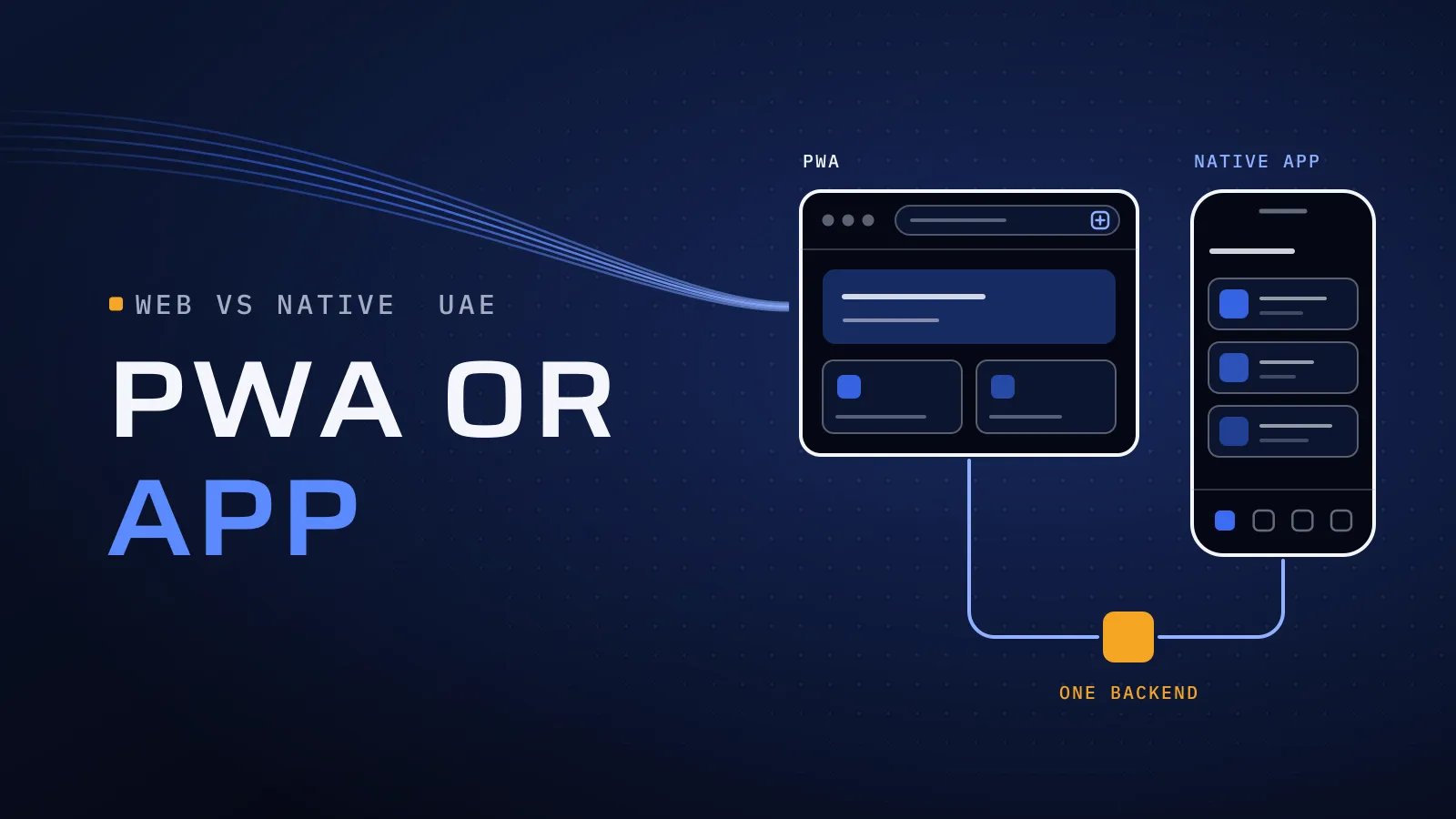
PWA vs native app is a budget decision that looks like a technical one. Build store apps for a tool your staff open at a desk, and you pay for two release cycles nobody needed; ship a progressive web app (PWA) to customers who expect the App Store and iPhone notifications, and many of them never come back.
PWA vs native app: which should a UAE business build?
Quick answer: Build a PWA when people reach you through a link or search, use it for work, or open it a few times a month: one codebase, no store review, same-day updates. Build an app, usually one Flutter codebase for iPhone and Android, when customers expect the App Store, iPhone push is core, or it needs Bluetooth, NFC or background location.
Have a feature list? Ask us: PWA, app or both? →
What the wrong choice costs you
A PWA chosen only because it is cheaper fails quietly: iPhone users never add it to their Home Screen, your reminders never reach them, and the skipped app gets built later anyway. Native apps for an internal tool fail the other way: every change waits for store review, and staff still want it on their laptops. Either way you pay twice. One backend with an API keeps both doors open.
What a PWA is
A progressive web app is a website that behaves like an app: it opens full screen from an icon, works offline and sends notifications. One codebase serves iPhone, Android and laptops, with no app store. Its limits are the browser’s. In the UAE every iPhone browser, Chrome included, runs on Apple’s WebKit engine, so Apple’s rules apply whichever browser your customers use.
What a PWA can do on iPhone and Android today
| Capability | PWA on iPhone | PWA on Android | Store app (Flutter or native) |
|---|---|---|---|
| Installing | The user adds it from the Share menu; there is no install banner | Chrome offers to install it | Downloaded from the App Store or Google Play |
| Push notifications | Yes, once it is on the Home Screen and the user taps to allow them | Yes, in the browser or installed | Yes |
| Offline use | Saved screens and data; queued changes send when the app is next open | The same, and Chrome can send queued changes in the background | Full control, including long periods offline |
| Camera and location | Yes, while the app is open | Yes, while the app is open | Yes, and location in the background |
| Bluetooth and NFC | No | Yes, in Chrome | Yes |
| Store listing | No: a wrapped website is likely to be rejected | Yes, packaged as a Trusted Web Activity | Yes |
| Updates | Live when you publish | Live when you publish | After store review, once users update |
Two iPhone facts matter most:
- Push needs the Home Screen. Since iOS 16.4, a web app added to the Home Screen can ask to send notifications after a tap, WebKit confirms; a site open in Safari can’t. Plan an “add to Home Screen” step, and an email or WhatsApp fallback.
- Adding it got easier with iOS 26. Any site added to the Home Screen now opens as a web app. With no install banner, show users how, once, when they see the benefit.
App stores: presence, trust and the wrapper trap
Consumers often look for a brand in the App Store before they trust it. A PWA has no App Store listing, and wrapping your website in a thin app shell doesn’t fix that: Apple’s App Store Review Guidelines (rule 4.2) expect more than a repackaged website. Google Play accepts a PWA packaged as a Trusted Web Activity.
If an App Store listing matters to your customers, build an app. For staff and trade customers who arrive by link, a PWA skips the store, review queue included.
Payments: where a PWA is simpler
Orders, bookings and deliveries are paid by card or Apple Pay through your payment gateway, in a PWA and an app alike (Apple’s rule 3.1.3(e) keeps physical goods out of in-app purchase). Digital content is different: subscriptions and premium features sold inside an iPhone app must use Apple’s in-app purchase (rule 3.1.1), and outside the exceptions Apple lists, an app on the UAE App Store can’t send users to pay elsewhere. A PWA takes subscriptions through your own gateway. If Apple Pay matters, test your gateway’s web checkout on an iPhone, in Safari and from the Home Screen.
Offline use: what a PWA keeps working
A PWA stores its screens and recent data on the phone, so a sales rep in a basement car park can still open the catalogue and draft an order. Offline changes queue up and send when the connection returns; on iPhone, only when the user next opens the app, because Safari has no background sync. Keep the master copy on the server, and decide what happens when two people edit the same record before the build, not after the first clash. For long routes with no signal or a Bluetooth printer in a van, build an app.
Arabic and right-to-left in a PWA
The web handles Arabic well: right-to-left layouts, lines mixing Arabic and English, and a language switch that restarts nothing. Plan two things. Save the Arabic font for offline use, so screens don’t fall back to a system font. And give each language its own web address: Google can then index your Arabic pages and send you Arabic searches, which no store app receives.
When a Flutter app is better than a PWA
Choose an app when:
- customers expect to find you in the App Store;
- iPhone notifications are core, such as booking reminders or “your order is on the way”;
- it needs Bluetooth, NFC, a card reader or background location, as driver and field apps do;
- people work offline for long stretches.
One Flutter codebase covers iPhone and Android. For Flutter against React Native or native Swift and Kotlin, see our Flutter vs React Native guide.
PWA, Flutter app or both? A decision table
| Your situation | Build first | Why |
|---|---|---|
| A staff tool for approvals, orders or dashboards, on phones and laptops | PWA | One codebase for every device, updated the same day |
| Trade customers or members who reach you through a link | PWA | No store step between the link and the first order |
| Testing an idea with first users | PWA on a backend an app can share | Changes go live without store review |
| Selling subscriptions or digital content | PWA or web checkout | Your gateway, not Apple’s in-app purchase |
| An online store with occasional buyers from search | Mobile-first website or PWA | Search ranks web pages, not app screens |
| Repeat buyers, loyalty and order updates | Flutter app and website on one backend | Reliable iPhone notifications and an App Store listing |
| Drivers, technicians or reps offline for hours | Flutter or native app | Background location, long offline use, Bluetooth printers |
How to read it: if two rows fit, the stronger device need wins. Most “both” answers start with the website or PWA and add the app on the same backend; retailers can read should an e-commerce app or website come first.
Filled in the table, or stuck between two rows? For a recommendation, send us:
- who uses it, and how they first reach you;
- the phones they carry;
- the main features, and any device features such as camera, Bluetooth or location;
- whether iPhone notifications are a must;
- whether you need Arabic at launch;
- the systems it connects to.
We reply with PWA, Flutter app or both, the reasons, and the effort, team and price. Ask us: PWA, app or both? →
Not ready for a call? Ask for our company profile and we’ll send it to you.
How to decide in five steps
- Write down where users start: a link, a search, a QR code or the App Store.
- Mark the device features they need in the capability table.
- Decide whether iPhone notifications are a must, or an extra with a fallback.
- Build one backend with an API, so the other front end can follow without a rebuild.
- Test the hardest screen on a real iPhone, in Arabic, from the Home Screen, with the signal off.
What sets the effort: the backend, admin panel, payments and ERP links cost the same on either route. A PWA saves the second platform and the store work; offline sync rules, Arabic and extra user groups add work to both. Your price is agreed in your proposal, phase by phase.
We build both
We have built a PWA, and we build apps in Flutter, React Native and native Swift and Kotlin, with backends in Laravel and PHP, Java, .NET, Go and Python, so we recommend from your users and features, not from habit.
We have built a PWA as well as Flutter and native apps, so we recommend from experience, not preference. Qargo pairs customer and driver apps with web dashboards for admins and partners. Talk to the team that built it: book a meeting.
Quality built into every step: CTO oversight on the PWA-or-app decision, independent QA on real iPhones and Android phones before each release, and a dated plan in FloPlan, the delivery software we built and use. Our core team are native Arabic speakers who work in English, so right-to-left screens are checked by people who read Arabic daily. See more in mobile app development in Dubai and web application development in Dubai.
Get a recommendation for your product
Since 2014 we have built software for more than 100 clients across the UAE, Saudi Arabia, Qatar, Kuwait, the USA and Canada. Our headquarters is at Dubai Digital Park, with offices in Houston and Alexandria. Send us your feature list and where your users start.
Ask us: PWA, app or both? → We ask about your goal, what you use today, your timing and who else should be involved. You leave with clear next steps. We reply by email first and set up a call only if you want one. Asking commits you to nothing, and we sign an NDA first if you ask.
WebKit’s notes on Web Push and on Home Screen web apps in Safari 26, and Apple’s App Store Review Guidelines, checked on the date this guide was updated.
Frequently asked questions
Can a PWA send push notifications on iPhone?
Yes, since iOS 16.4, once the user has added the web app to the Home Screen and tapped to allow notifications. A site open in Safari can't ask. Plan a clear add-to-Home-Screen step, and a fallback such as email or WhatsApp for users who skip it. If every customer must get the message, build an app.
Can we put a PWA in the App Store or Google Play?
Google Play, yes: a PWA can be packaged as a Trusted Web Activity and listed like any app. Apple expects an app to offer more than a repackaged website, so a thin wrapper around your site is likely to be rejected. If an App Store listing matters to your customers, build an app; one Flutter codebase covers both stores.
Does a PWA work offline?
Yes, for the screens and data it has saved. Users can browse and draft orders with no signal, and their changes send when the connection returns; on iPhone, when the user next opens the app. For long stretches offline, printing or Bluetooth devices, an app is the safer choice.
Is a PWA cheaper than a native app?
For the same features, usually: one codebase for every device, and no store listings or review cycles. The backend, admin panel, payments and ERP links cost the same either way. Send us your feature list and we reply with the effort, the team and the price for each route, agreed in your proposal.
Can we start with a PWA and add an app later?
Yes, if the PWA sits on a backend with an API the app can share. The app is then a new front end on the same data, and users keep their accounts and history. We plan for that from the first release, so the app is an addition, not a rebuild.
Who owns the code?
You do. The code passes to your company once the project is completed and paid, and the store and payment accounts can be in your company's name from the start.