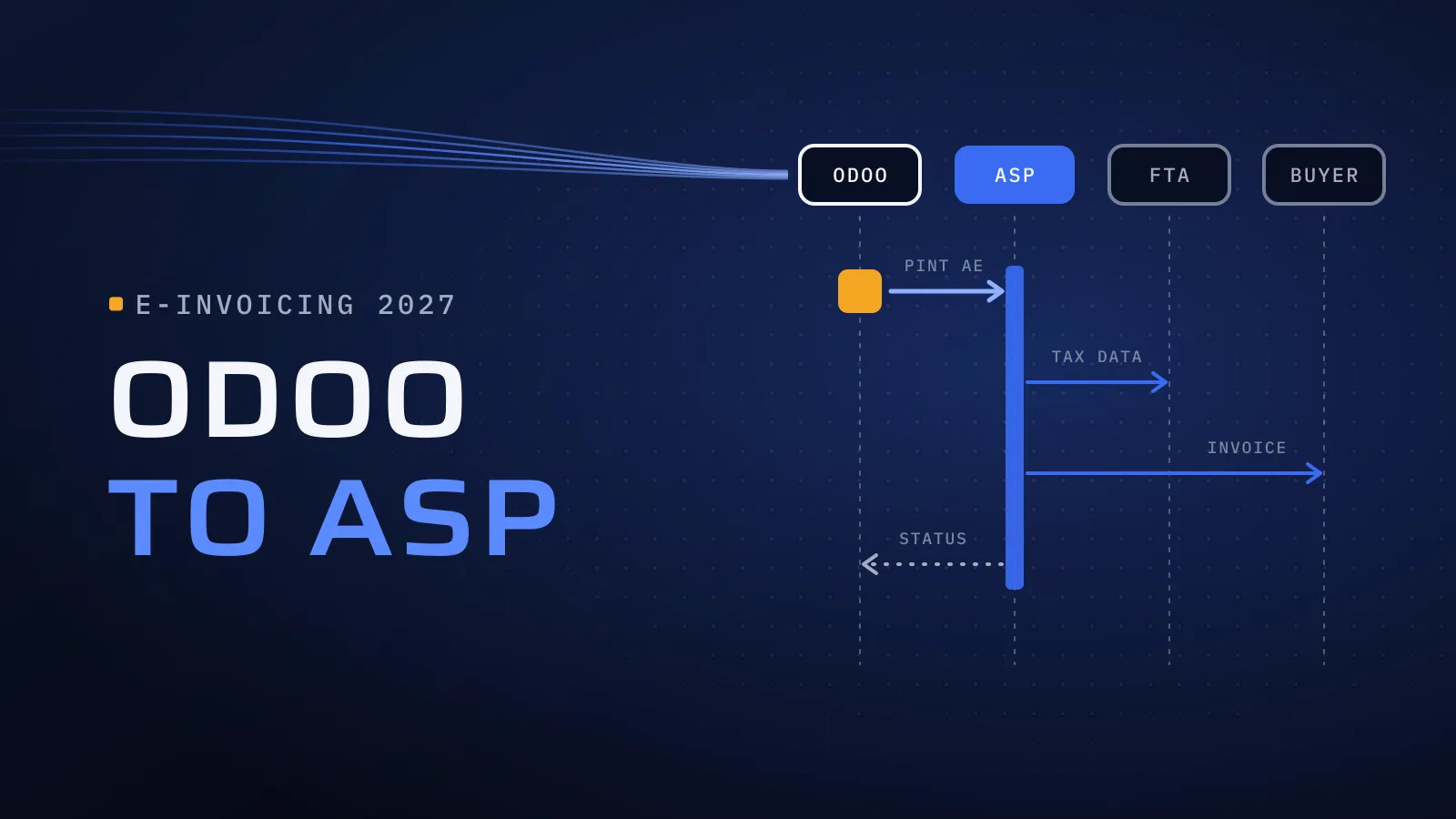
Odoo Noon Integration: Connecting Odoo to Noon and Amazon.ae in the UAE
Odoo Noon integration for UAE sellers: what syncs with Noon and Amazon.ae, connector or custom build, FBN and FBA stock, payouts and VAT on sales.
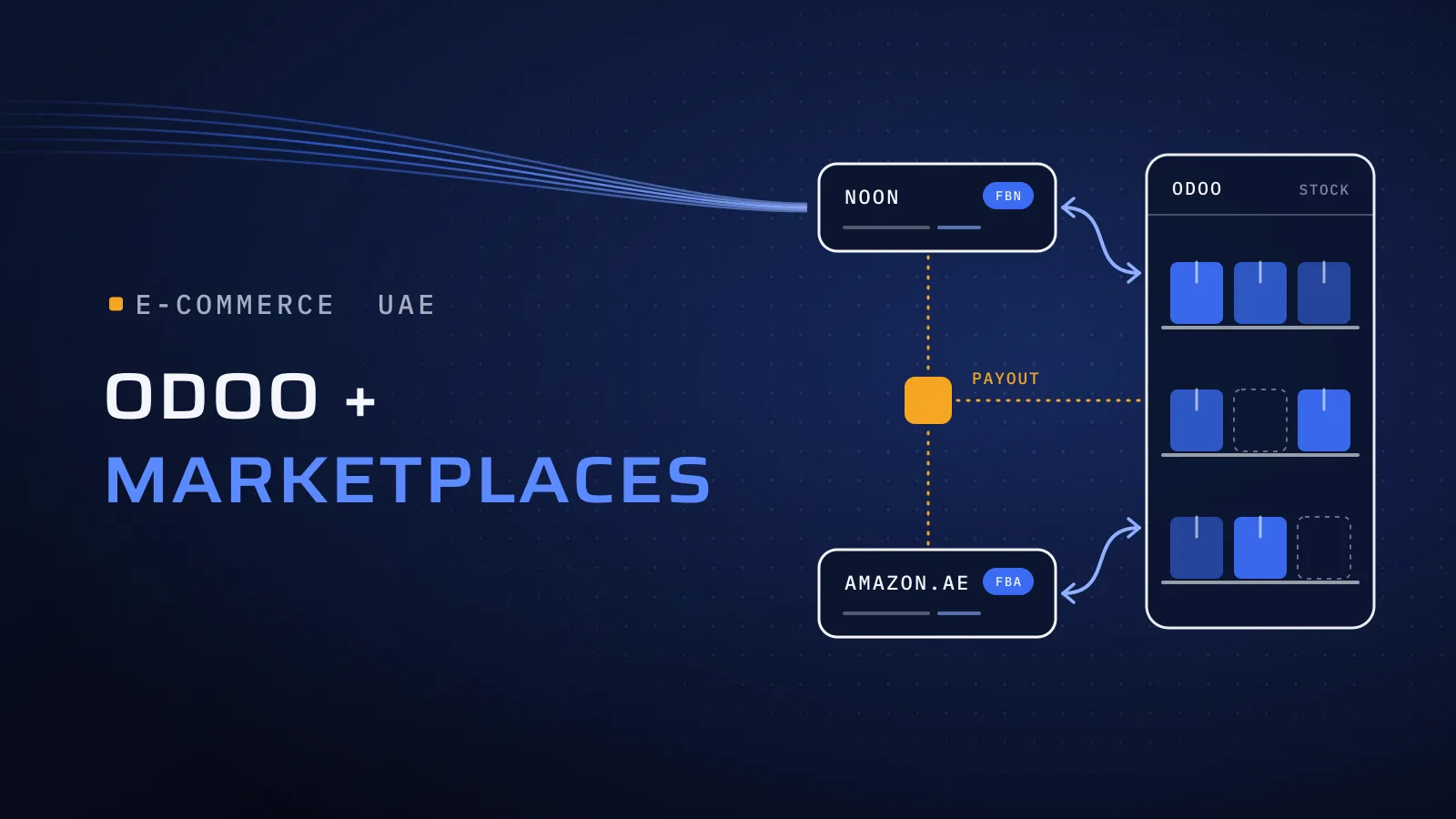
An Odoo Noon integration decides whether the orders, stock and payouts in your seller accounts match what Odoo says. Connected properly, a Noon or Amazon.ae order reaches your warehouse without retyping, stock updates on every marketplace when it moves and each payout reconciles to the fils; kept in spreadsheets, you oversell on one channel, lose track of returns and close the month without knowing what each marketplace kept.
How does an Odoo Noon integration work?
Quick answer: Odoo has no built-in Noon connector, so orders, stock, prices and listings move through Noon’s seller APIs, using an Apps Store module or a custom integration. Amazon.ae is different: Odoo Enterprise has its own Amazon Connector for orders, FBM stock and shipments. On both, returns, fees and payouts need extra setup. We have connected Odoo to Noon and Amazon.
Selling on Noon or Amazon.ae? Talk to us about connecting Odoo to your marketplaces.
What manual marketplace work costs you
Update stock by hand and the last unit sells twice, so one order is cancelled, and seller cancellations count against your account health on Amazon. Returns sit in the warehouse without reaching Odoo, so stock and refunds drift apart. And each payout arrives net of commissions, fees and refunds: if Odoo only sees the bank deposit, your sales, your VAT and your margins are all wrong. Every marketplace you add multiplies that work.
What syncs between Odoo, Noon and Amazon.ae
Noon’s API Platform documentation lists APIs for the catalogue and content, prices, offers, stock and returns, a reports API for bulk exports, event notifications that push new orders as they happen, and Fulfilled by Partner Integration for orders you ship yourself. It lists no finance or payout API. Odoo’s Amazon Connector documentation says the connector is designed to sync sales orders, and that fee reports, disputes and refunds stay in Seller Central.
| Data | Noon, through its seller APIs | Amazon.ae, with Odoo’s Amazon Connector | What to decide |
|---|---|---|---|
| Orders | New orders you ship yourself, pushed as they arrive | FBA and FBM orders fetched at regular intervals, with customers created in Odoo | A sales team per marketplace, so reports split cleanly |
| Stock | Stock levels sent through the stock API | FBM stock pushed from Odoo; FBA stock tracked in its own location | Which warehouse feeds each marketplace, and a safety buffer |
| Prices | Prices sent through the pricing API | Not synced: set in Seller Central, or from Odoo with custom work on Amazon’s Selling Partner API | Whether Odoo or the marketplace is the price master |
| Listings and content | Catalogue and content APIs | Not created from Odoo: Amazon SKUs are matched to Odoo products by internal reference | One SKU per product across Odoo and every marketplace |
| Shipments | A shipment with an airway bill number, from Noon or your own courier | FBM deliveries confirmed with a tracking reference | Labels and tracking from the warehouse screen |
| Returns | A returns API for returned items and their barcodes | Not synced: refunds handled in Seller Central | A returns location, and who decides restock or write-off |
| Fees and payouts | No finance API listed: taken from the statement in your seller account | Not synced: fee reports stay in Seller Central | A clearing account per marketplace and a fee import |
Amazon’s Selling Partner API does offer listings, pricing, finance and settlement report data, so anything in the Amazon column marked “not synced” can be added as custom work on top of Odoo’s connector.
Fulfilled by Noon, Amazon FBA or your own warehouse
Where the stock sits decides how Odoo models it:
- Your own warehouse (Noon’s Fulfilled by Partner, Amazon FBM). Each order becomes a delivery in Odoo, picked and packed by your team, and Odoo’s stock is the master that updates every marketplace.
- The marketplace’s warehouse (Fulfilled by Noon, Amazon FBA). Give each one its own location in Odoo. Sending stock there is a transfer, not a sale; the sale is recorded when the marketplace ships it. Ask how your connector brings in FBN sales, because the order APIs Noon documents cover orders you ship yourself.
- Both. Most sellers end up with a mix, so decide per product which stock each marketplace may sell, or the same unit is promised twice.
For the rest of your stock, our guide to Odoo inventory for UAE traders covers warehouses, lots and stock counts.
Connector module or custom integration: which fits
Your Odoo plan and hosting narrow the choice first. Odoo Online can’t run Apps Store or custom modules, as our Odoo ASP integration guide explains for e-invoicing, and the same limit applies to marketplace connectors.
| Your setup | Route that fits | Check before you commit |
|---|---|---|
| Amazon.ae only, standard order flows | Odoo’s own Amazon Connector, part of Odoo Enterprise | The UAE marketplace added and tested with your seller account |
| Noon, on Odoo.sh or your own servers | A Noon connector module from the Odoo Apps Store | Published for your exact version; what it does with returns, FBN sales and payouts |
| Noon, on Odoo Online | A service outside Odoo working through Odoo’s API (Custom plan), or a move to Odoo.sh | Who runs and maintains the outside service |
| Several marketplaces, your own online store and product bundles | Middleware between the channels and Odoo, or a custom service | Which system holds the stock and price master |
| Payout reconciliation, returns grading or several companies | Custom work on top of a connector | That the connector leaves room for it, and who maintains both |
What this means for you: decide which system owns stock and which owns prices before you choose a connector. The connector follows that decision; it can’t make it for you.
VAT on Noon and Amazon.ae sales
The FTA’s e-commerce VAT guide sets the rule. When a marketplace acts as a disclosed agent, selling in your name, the sale is treated as made by you: you charge 5% VAT and report it in your return. The marketplace’s commission or fee is a separate supply of services to you, taxable at 5% when its place of supply is the UAE, and recoverable as input tax under the normal rules. If a marketplace sold in its own name as an undisclosed agent, there would be two supplies, each with its own VAT. Your seller agreement decides which case applies, so confirm it with your tax adviser before go-live.
In Odoo, that becomes three records for each payout:
- The sales, at the full price customers paid, with output VAT, to a customer record for each marketplace.
- The fees, from the marketplace statement, as a vendor bill with input VAT.
- The payout, matched in the bank against a clearing account holding the sales less the fees and refunds.
Two more points for 2027. B2C sales stay outside the UAE e-invoicing system, as our UAE e-invoicing 2027 guide sets out. The fee invoices a marketplace sends you are B2B, though, so once e-invoicing applies they reach you through your own e-invoicing provider, and Odoo should turn them into draft bills like any other supplier’s.
How to connect Odoo to Noon and Amazon, step by step
- Match your SKUs. Each product’s internal reference in Odoo matches its seller SKU on every marketplace. Odoo’s Amazon Connector pairs products this way, and a Noon connector needs the same match.
- Model where stock sits: your warehouse, a Noon location and an Amazon location, and which marketplace sells from which.
- Set up the accounting: a customer, a clearing account and fee products for each marketplace, with the VAT treatment your adviser confirmed.
- Test on a copy of your database with real cases: an order, a cancellation, a return, a stock change and one full payout reconciled to zero.
- Go live at the start of a month or VAT period, with a named owner for failed syncs.
Want this mapped for your store? Send us:
- your Odoo version and hosting;
- the marketplaces and seller accounts you use: Noon, Amazon.ae or both;
- how you fulfil: FBN, FBA, your own warehouse or a mix;
- roughly how many products you list;
- how you handle returns and payouts today.
We reply with what to sync, which route fits and what to test first. Talk to us about connecting Odoo to your marketplaces →
Not ready for a call? Ask for our company profile and we’ll send it to you.
Who connects it
We have connected Odoo to Noon and Amazon; the client names stay under NDA. We implement Odoo for UAE businesses from Dubai Digital Park, with our core engineering team in Egypt, and our Odoo team leads the work. Quality is built into every step:
- CTO oversight on which system owns stock and prices, the decision hardest to change later.
- Independent QA before each release, re-running orders, returns and a payout on a copy of your database.
- A dated plan in FloPlan, the delivery software we built and use, with each test and the go-live date.
We know marketplaces from the other side too. Mowein is a marketplace app where home-based sellers and small startups sell food, crafts and clothing. Talk to the team that built it: book a meeting.
Selling through your own online store as well? Our e-commerce website and app development in Dubai keeps your store’s stock in sync with the same ERP.
Bring your marketplaces and your Odoo version
Marketplace and store integrations are part of our Odoo implementation services in the UAE. Tell us where you sell, how you fulfil, which Odoo version you run and where it is hosted.
Talk to us about connecting Odoo to your marketplaces → We ask about your goal, what you use today, your timing and who else should be involved. You leave with clear next steps. We reply by email first and set up a call only if you want one. Asking commits you to nothing, and we sign an NDA first if you ask.
Noon’s API Platform documentation, Odoo’s Amazon Connector documentation and the FTA’s e-commerce VAT guide checked on 27 October 2026.
Frequently asked questions
Does Odoo have a built-in Noon connector?
No. Odoo has no Noon connector of its own, so the link runs through Noon's seller APIs, either with a connector module from the Odoo Apps Store or with a custom integration. Check that any module is published for your exact Odoo version and hosting, then test it against your own Noon account before go-live.
Does Odoo's Amazon Connector work with Amazon.ae?
Odoo's documentation says all Amazon marketplaces are supported, and that a marketplace missing from the default list can be added. The UAE isn't in that list, so it is added during setup and tested with your seller account. The connector syncs orders, FBM stock and shipments; listings, prices, refunds and fee reports need more work.
Can we connect Noon if we use Odoo Online?
Not with a module, because Odoo Online can't run Apps Store or custom modules. The options are a service outside Odoo that works through Odoo's API, which needs Odoo's Custom plan, or a move to Odoo.sh. Both work; the choice follows your order volume and how much else you want to customise.
Who charges VAT on our Noon and Amazon.ae sales?
Usually you do. Under the FTA's e-commerce VAT guide, when a marketplace sells in your name as a disclosed agent, the sale is yours: you charge 5% VAT and report it, and the marketplace's commission is a separate service to you, taxed at 5% and normally recoverable. Confirm it against your seller agreement with your tax adviser before go-live.
How do we reconcile a marketplace payout in Odoo?
Post each order as a sale at the full price, post the fees from the marketplace statement as a vendor bill with its VAT, and match the payout in the bank against a clearing account for that marketplace. When the clearing account comes back to zero, nothing is missing.
What does an Odoo marketplace integration cost?
Expect two lines: any connector licence, which its vendor prices, and the Odoo work, which is agreed in your proposal. The work grows with the number of marketplaces and seller accounts, how you fulfil orders, how far returns and payouts are automated, and your Odoo version and hosting.