Odoo Upgrade in the UAE: Moving Off Odoo 16 or 17 Before E-Invoicing
Odoo upgrade in the UAE: when support for 16 and 17 ends, what breaks in custom modules and e-invoicing, a test checklist and a safe cutover plan.
An Odoo upgrade in the UAE stops being optional once your version leaves support: Odoo 17’s standard support ended in September 2026 and Odoo 16’s a year earlier, so neither receives security updates. Upgrade before your e-invoicing date and you connect your provider once, on the version you will keep; upgrade after it, and you pay to port and retest that connection.
When should you plan an Odoo upgrade in the UAE?
Quick answer: Now, if you run Odoo 16 or 17. Odoo gives each major version three years of standard support, and security updates stop when it ends: September 2025 for 16.0, September 2026 for 17.0. Finish the upgrade before your e-invoicing go-live, 1 July 2027 if your revenue is under AED 50 million, so your ASP connection is built once.
On Odoo 16 or 17 today? Plan your Odoo upgrade with us.
What staying on an old version costs you
Without standard support there are no security updates, and extended support costs an extra fee and runs only on Odoo.sh, for a limited number of versions, or on your own servers. On Odoo Online the upgrade comes anyway: major versions must be upgraded every two years, and Odoo triggers the upgrade itself if you take no action by the due date, so the only choice left is whether you tested first. And each year you wait adds a version to the jump; Odoo’s own advice is that the smaller the gap, the easier the upgrade.
Which version to move to
Odoo’s standard and extended support table, as it stood on 24 October 2026:
- Odoo 20.0: released September 2026, standard support planned until September 2029.
- Odoo 19.0: planned until September 2028.
- Odoo 18.0: planned until September 2027.
- Odoo 17.0 and 16.0: standard support ended in September 2026 and September 2025.
You can upgrade from any version straight to any major version still in standard support, so 16 to 20 is one project, not four. For most UAE companies the target is 20, which stays supported longest. Choose 19 only if a module you depend on, such as your e-invoicing connector, isn’t published for 20 yet.
What breaks in an Odoo upgrade
For Enterprise customers, Odoo upgrades the standard apps, and Studio customisations while Studio and its subscription stay active, as its upgrade documentation sets out. The rest is your implementer’s work:
- Custom modules. A database with custom modules can’t be upgraded until each one has a version for the target release. Every module is adapted, then tested. This is usually the largest line in the project, and the reason to drop modules nobody uses before you start.
- Apps Store modules. Each needs its vendor’s release for the target version. Some never get one and have to be replaced.
- Printed documents. Tax invoices, quotations and delivery notes, Arabic and bilingual layouts above all, need checking line by line, because standard views change between versions.
- Integrations. Bank feeds, payment gateways, your online store and any API link. Odoo’s test copies switch off scheduled actions, outgoing email, bank synchronisation and live payment providers, so ask your providers for sandbox access early.
- E-invoicing readiness. If you already have a connector, confirm it is published for the target version. If you don’t, build it on the target, not on the version you are leaving.
- Data and training. Odoo’s upgrade service doesn’t cover cleaning existing data or training users on what changed.
Every custom module carries a running cost at each upgrade, which our Odoo implementation cost guide counts in the budget.
How an Odoo upgrade runs, step by step
- List everything installed: version, hosting, standard apps, Studio changes, Apps Store and custom modules, integrations and printed documents. Decide what to drop.
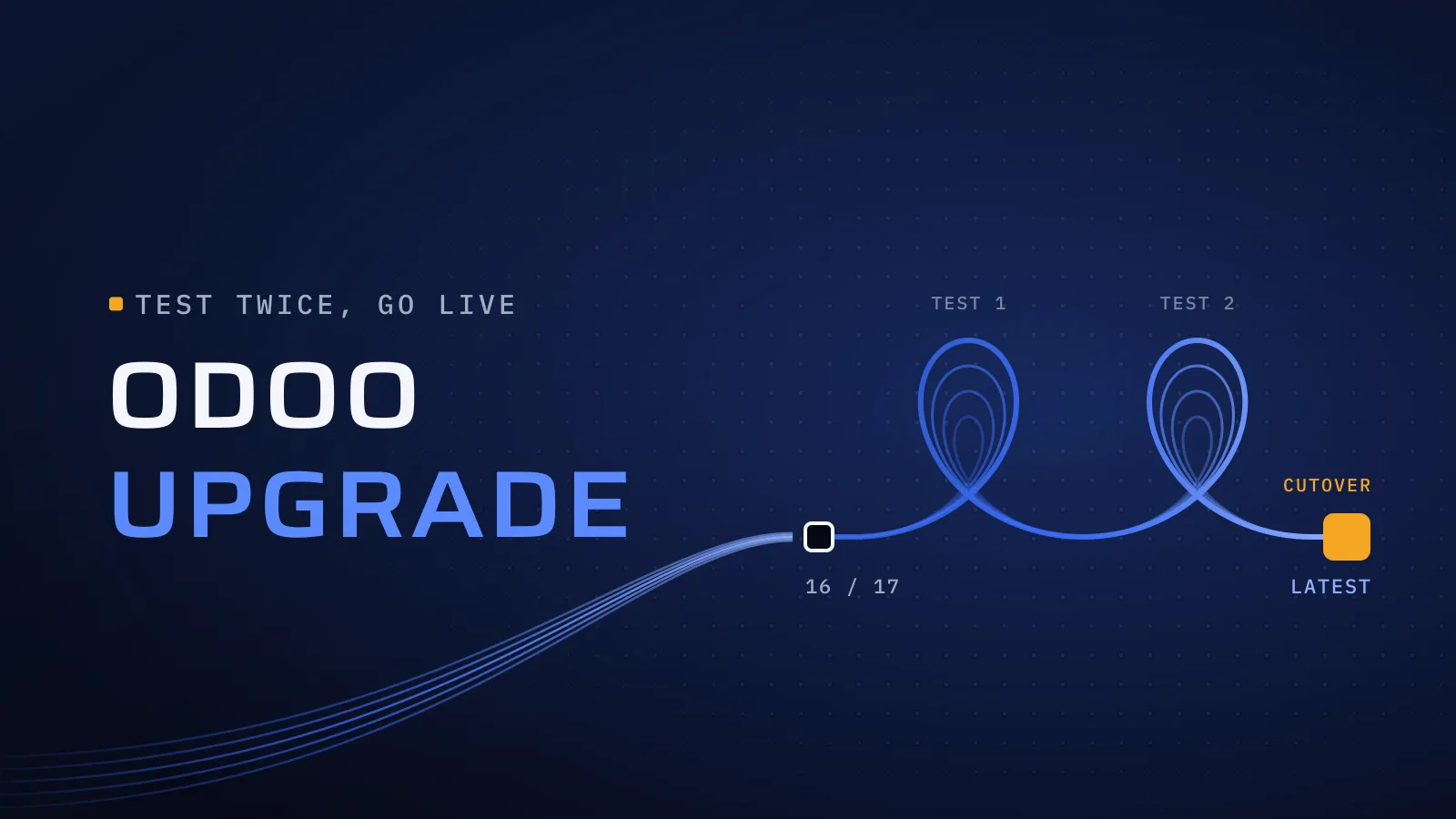
- Request an upgraded test database and port the custom modules in parallel. On Odoo Online from the database manager, on Odoo.sh from a staging branch, on your own servers through Odoo’s upgrade script. Odoo sends an upgrade report listing what changed.
- Test with key users against the checklist below, report standard issues to Odoo and fix custom ones. If testing runs long, request a fresh test copy, and rehearse the full upgrade the day before.
- Cut over at a quiet time, ideally the start of a month or VAT period. The production database is unavailable while the upgrade runs, and on Odoo Online it can’t be reverted once complete, which is why testing comes first.
- Support the first weeks while users find their way, then connect or retest your e-invoicing provider on the new version.
The Odoo upgrade test checklist
Give each row an owner on your side. Nothing goes live until every row is signed off.
| Area | What to test on the upgraded copy | Signed off by |
|---|---|---|
| Accounting and VAT | Post an invoice and a credit note; last quarter’s VAT return and the corporate tax report match what you filed | Finance lead |
| Sales and purchasing | Quote to order to delivery to invoice; purchase to receipt to bill | Sales and purchasing leads |
| Inventory | Stock levels, valuation and routes match production for a sample of products | Warehouse lead |
| Payroll | One payslip batch matches last month’s, and the WPS file matches the last one your agent accepted | Payroll owner |
| Printed documents | Tax invoices with your TRN, quotations and delivery notes, in Arabic and English | Finance lead |
| Custom modules | Each one installs and does its job on real data | Your implementer and the key user |
| Integrations | Bank feed, payment gateway, online store and e-invoicing connector against sandbox accounts | IT lead |
| Automations | Scheduled and automated actions, email templates, server actions and exports | Process owners |
| Access | Each role can do its daily work and sees only what it should | Department heads |
Want this checklist turned into a plan for your database? Send us your Odoo version, your hosting and a list of installed modules; a screenshot of the Apps menu is enough. We reply with what the upgrade touches, what to drop and how to test it. Plan your Odoo upgrade with us →
Not ready for a call? Ask for our company profile and we’ll send it to you.
Who runs your upgrade
We have upgraded Odoo versions for clients; their names stay under NDA. We implement Odoo for UAE businesses from Dubai Digital Park, with our core engineering team in Alexandria porting and testing the custom modules. Two of the ways we work shape an upgrade. CTO oversight: every project is supervised by senior technical leadership, so someone senior decides which custom modules are ported, which are replaced by standard features and which are dropped. Custom development: built around your business’s requirements, so the modules that come across still do the job your team relies on.
Upgrades and support after go-live are part of our Odoo implementation services in the UAE. If e-invoicing is next on your list, read how to connect Odoo to your e-invoicing provider once the upgrade is done.
Bring your version and your module list
Tell us which version you run, where it is hosted, which modules are installed and when your e-invoicing date falls. We will say what the upgrade touches before you commit to anything.
Plan your Odoo upgrade with us → We ask about your goal, what you use today, your timing and who else should be involved. You leave with clear next steps. The call commits you to nothing, and we sign an NDA first if you want one.
Odoo’s support table and upgrade documentation checked on 24 October 2026.
Frequently asked questions
Can we upgrade from Odoo 16 straight to Odoo 20?
Yes. Odoo's upgrade service moves a database from any version to any major version still in standard support, so 16 to 20 is one project with one round of testing, not four. Your custom modules are ported straight to 20 as well, so the work is done once.
Is the upgrade included in our Odoo Enterprise subscription?
Partly. Odoo upgrades the standard apps and your Studio customisations, as long as Studio and its subscription are still active. Custom and third-party modules (unless Odoo maintains them under a separate subscription), cleaning existing data and training are not included. That remaining work is what an implementer prices, and ours is agreed in your proposal before anything starts.
How long is Odoo unavailable on upgrade day?
For as long as Odoo takes to upgrade your production database, which depends mainly on its size. The full rehearsal the day before gives you the real figure, so you can choose a quiet slot, such as a weekend at the start of a month, and tell staff in advance.
Should we upgrade before connecting our e-invoicing provider?
Yes, if your date allows it, because the connection is then built and tested once, on the version you will keep. If you go live on 1 January 2027 and a connector exists for your current version, connect now and plan the upgrade with a retest of the connection afterwards. Either order works when it is planned.
What does an Odoo upgrade cost?
The price follows the number of custom and Apps Store modules, the size of the version jump, the size and state of your data, your integrations and the testing your team needs. Ours is agreed in your proposal. Every unused module you drop before starting is one less to port and test, which is the simplest way to bring the figure down.
What if something goes wrong on cutover day?
On Odoo.sh, a failed upgrade is reverted automatically and a backup of the old database is kept. On your own servers, the plan includes a tested restore. On Odoo Online the upgrade can't be undone once complete, which is why the checklist is signed off first. After a full rehearsal, cutover day repeats something that has already worked.