API Integration Services in the UAE: Connect Your ERP, Payment Gateway, Couriers and Apps
API integration services in the UAE: connect your ERP, payment gateway, couriers and apps so your staff stop retyping orders, invoices and stock.
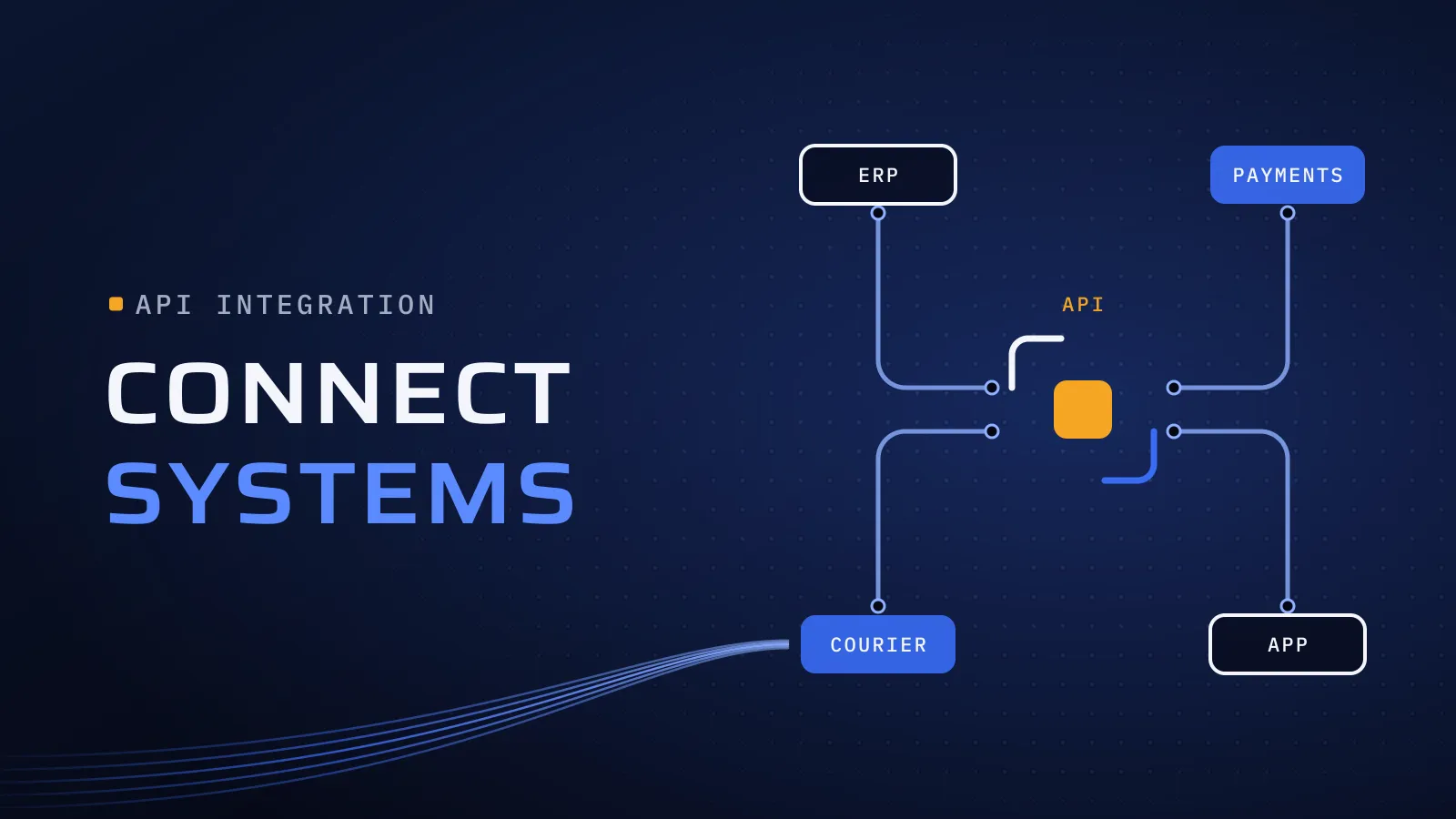
When your systems don’t talk to each other, your staff do it for them: an online order is retyped into the ERP, a courier’s tracking number is copied back by hand, and stock is counted twice because the shop and the warehouse disagree. API integration services in the UAE remove that work by connecting your ERP, payment gateway, couriers and apps, so each fact is entered once and every system sees the same figure.
What should API integration services in the UAE connect first?
Quick answer: Connect the flow your team retypes most often and that costs most when it is wrong. For most UAE businesses that means orders and payments into the ERP first, then stock and prices out to the shop and apps, then courier bookings and tracking. Use a ready-made connector where it fits; build custom where your rules don’t.
Retyping the same order twice? Map your first integration →
What retyping costs you
Every retyped order is staff time, a chance of a wrong amount or address, and a delay before the customer gets a tracking number. Stock that isn’t synced gets sold twice. Matching gateway payouts, net of fees and refunds, against invoices turns month-end into days of spreadsheet work. And the pressure is growing: from 2027, in-scope B2B invoices in the UAE must travel as structured data through an accredited provider, so invoice data has to be complete in your ERP before it leaves. If you run Odoo, we set up its connection to the provider you appoint. Our UAE e-invoicing guide has the dates.
The four connections most UAE businesses need
- Online store or app to ERP. Orders, customers and payments land in the ERP as sales orders and invoices, with VAT applied once, in one place.
- Payment gateway to ERP. Each payment and refund is matched to its invoice, and each payout is reconciled against what the bank received.
- ERP and courier, both ways. The shipment is booked when the order is packed, the label prints, and tracking and cash-on-delivery amounts flow back to the order.
- ERP to shop, apps and portals. Stock and prices are published from one place. A customer or vendor portal reads order and invoice status from the ERP instead of from an email chain.
How an integration project runs
- Map one flow end to end. Every field, from where it is created to where it ends up, and who fixes it when it is wrong. Most surprises are found here: different customer IDs in two systems, VAT handled differently, product codes that don’t match.
- Name the system of record for each fact. For example, the ERP owns prices and stock, the gateway owns payment status and the courier owns tracking. Each fact has one owner, and the other systems read it.
- Choose a connector or custom build for that flow, using the table below.
- Build for failure. Retries when a courier’s API is down, no duplicate order when a payment notice arrives twice, an alert to a named person for anything that fails, and a log your team can read.
- Test real cases, then switch over flow by flow. Refunds, partial shipments, cancelled orders, Arabic names and addresses. Run the old and new ways side by side until the figures match.
Ready-made connector or custom integration?
Use this with your IT and finance leads for each flow on your list.
| Question | Ready-made connector | Custom integration |
|---|---|---|
| Is the flow standard, such as store orders into the ERP? | Often enough, if it maps your fields | Only if your rules don’t fit the connector |
| Do you have your own pricing, approval or VAT rules? | Needs workarounds, or can’t express them | Fits: the rules live in code you own |
| How much volume? | Fine at low volume; check per-transaction or per-task fees | No per-task fee to a third party |
| What happens when a call fails? | What the tool offers, and failures can go unnoticed | Retries, alerts and logs designed for your flow |
| Is there a connector at all? | Not for many older ERPs or local couriers | Built against the API, or a file exchange if there is none |
| Who decides on changes? | The tool vendor’s roadmap | You, and you pay for each change |
| Where does it live? | The vendor’s platform, on a subscription | Code in your company’s repository |
What this means for you: start with the connection your team retypes most, not the one that is easiest to build. Use a ready-made connector when the process is standard and the volume is low; build custom when your rules set you apart, the volume is high or no connector exists. Either way, decide who owns the integration before it goes live.
What breaks, and how to stop it breaking
- A provider changes its API. Gateways and couriers release new versions and retire old ones. Someone has to read their notices and update the integration in time.
- Keys tied to a person. An API key created under an employee’s login stops working when they leave. Keys belong in company accounts, kept out of the code.
- Duplicates and gaps. A notice sent twice creates two orders; one that never arrives leaves an order unpaid in the ERP. Duplicate checks and a daily reconciliation report catch both.
- Silent failures. If nobody is alerted, the first sign is a customer asking where their order is.
- Master data drift. A product added in the shop but not in the ERP breaks the next sync. New products, customers and tax codes need one place where they are created.
Tell us which systems you run and where your team retypes data today. A list of the systems and one example order is enough. We reply with the flow we would connect first, and whether a connector or a custom build fits it.
Buying for a larger organisation? Request the company profile for your procurement file, and we’ll send it to you.
Who owns the integration after go-live?
An integration needs looking after once it is live. Settle five things before it goes live: who watches the alerts, who updates it when a provider changes its API, whose accounts hold the API keys, where the documentation lives, and who pays for changes. There are three common answers. Your IT team takes it over with full documentation. We keep it running on a support plan, since long-term support, maintenance and updates are part of how we work after launch. Or our developers join your team through staff augmentation in the UAE, and you choose who joins.
API-first, in brief
Building a new app or portal at the same time? Agree its API first: a written description of the data each part sends and receives. The web app, the mobile app and the ERP connection are then built against the same definition, and the next system plugs into that API instead of needing another one-off link.
Map your first integration
Since 2014 we have built software for more than 100 clients across the UAE, Saudi Arabia, Qatar, Kuwait, the USA and Canada. Today our headquarters is at Dubai Digital Park in Dubai Silicon Oasis. iBankMarkets is a forex broker whose MetaTrader 4 integration we built. Talk to the team that built it: book a meeting.
Two of the ways we work matter most on integration projects. Scalable architecture: built for long-term growth, so the third system connects through the same design as the first. Independent QA: separate from development, so the person testing the work did not write it, and the refunds, duplicates and partial shipments get tested before your team relies on them.
Integrations are part of our custom software development in Dubai, and for UAE companies on Odoo, our Odoo implementation in the UAE covers connecting it to the rest of your systems.
Map your first integration → We ask about your goal, what you use today, your timing and who else should be involved. You leave with clear next steps. We reply by email first and set up a call only if you want one. Asking commits you to nothing, and we sign an NDA first if you ask.
Frequently asked questions
How much does a system integration cost?
It follows the number of systems, how clean the data is, whether a ready-made connector fits, and how many exceptions your process has, such as refunds, partial shipments or several branches. We map the first flow with you and the price is agreed in your proposal. A connector tool adds a subscription and custom code adds upkeep, so compare both over a few years, not one month.
How long does an integration take?
The first flow takes longest, because it settles the IDs, records and rules the later ones reuse. Your timeline is agreed in your proposal once that flow is mapped. Switching over one flow at a time means your team stops retyping it as soon as it is live, not when every system is connected.
Can you connect Odoo to our payment gateway and courier?
Where they offer an API, or at least a file export, yes. We implement Odoo in the UAE, and Odoo has its own API, so orders, payments, refunds and shipments can move in and out of it. We check each provider's API and any ready-made Odoo connector before deciding what to build, and use the connector where it covers your process.
What happens when the gateway or courier changes its API?
Someone has to notice and update the integration before the old version is switched off. Agree who that is before go-live: your IT team with our documentation, us on a support plan, or our developers working in your team. Alerts on failed calls mean a change shows up as an alert to a named person, not as a customer complaint.
What if one of our systems has no API?
Many older or local systems don't. The fallback is a scheduled file exchange, such as a CSV or Excel export that is picked up and imported automatically, with the same checks and alerts as an API. It is slower, but it still ends the retyping. A system that can't export at all is a good candidate to replace.